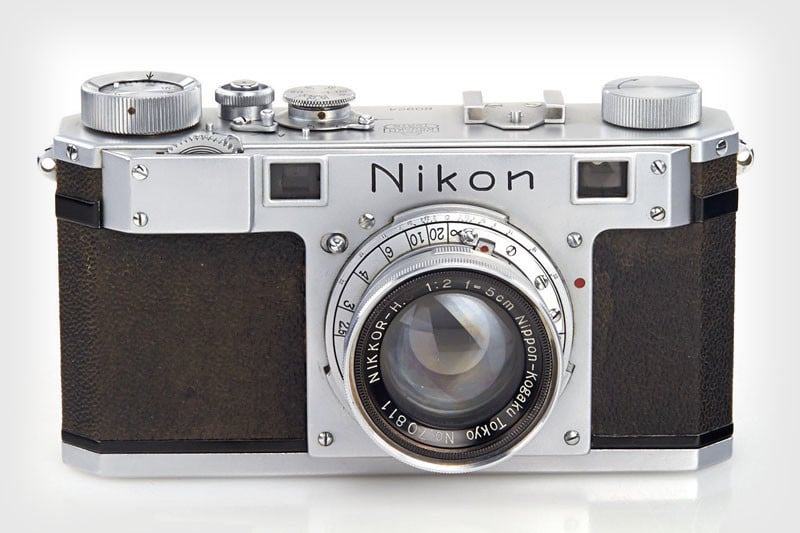
Image: Richard Butler If you've recently picked up a new Nikon camera, you might be a bit overwhelmed about where to start setting it up. After all, camera menus can be hard to navigate, and the sheer number of settings options can be dizzying.
Some settings are universal, no matter your camera brand or preferred shooting style. We've already covered those in a separate article, so you may want to start there. This guide walks you through some of the Nikon
Basic Nikon behaviors
If you're new to Nikon, there is a key quirk you might want to be aware of: that nothing is selected until you've pressed the OK button. It's very easy to navigate to a menu parameter, think you've selected the option you want, and then hit Menu or half-press the shutter to exit, only to discover that nothing's changed. Get into the habit of assertive confirmation.
This option won't be in the same exact position on every Nikon model, but it should be located in the purple Controls section.
Another behavior that may be unfamiliar, if you've come from other brands, is that you need to hold buttons such as WB or Exposure Comp down while you turn the command dial. If you want to just press once, rather than having to hold the button down, you need to change the "Release Button to Use Dial' option in section 'f' of the Custom Settings menu.
Engaging and controlling Auto ISO
Auto ISO is typically On by default on most Nikon Z-mount cameras. However, there are points worth being aware of. If your camera has a dedicated ISO button, or you've defined a custom button to control ISO, you can hold that button down and turn one of the command dials to toggle Auto ISO on and off.
However, be aware that the other dial will define the minimum ISO that the camera will use, which risks limiting the maximum image quality available. If you are finding that the Auto ISO system isn't using as fast a shutter speed as you'd like, it's better to go into the Photo Shooting menu and adjust the "Minimum Shutter Speed" setting under "ISO sensitivity settings. "
Easy Exposure Compensation
Easy Exposure Comp makes one of your command dials act as exposure comp without having to press a button. If you ever shoot in A or S mode, you should set this to 'On. '
Screengrab: Mitchell Clark
Nikon cameras offer an "Easy Exposure Compensation" setting that lets you customize how you dial in exposure compensation (EC).
By default, this is set to off, which means that you have to hold the ± button while turning a command dial to change EC. However, when you use P, S and A modes, you’ll have a command dial that isn’t being used. By changing to "On (auto reset)" or just "On," you'll be able to use the free dial to quickly change the EC setting without pressing a button at the same time. The auto reset option simply means that the camera will reset the EC to zero when you power off or the standby timer times out.
Choosing a Raw mode
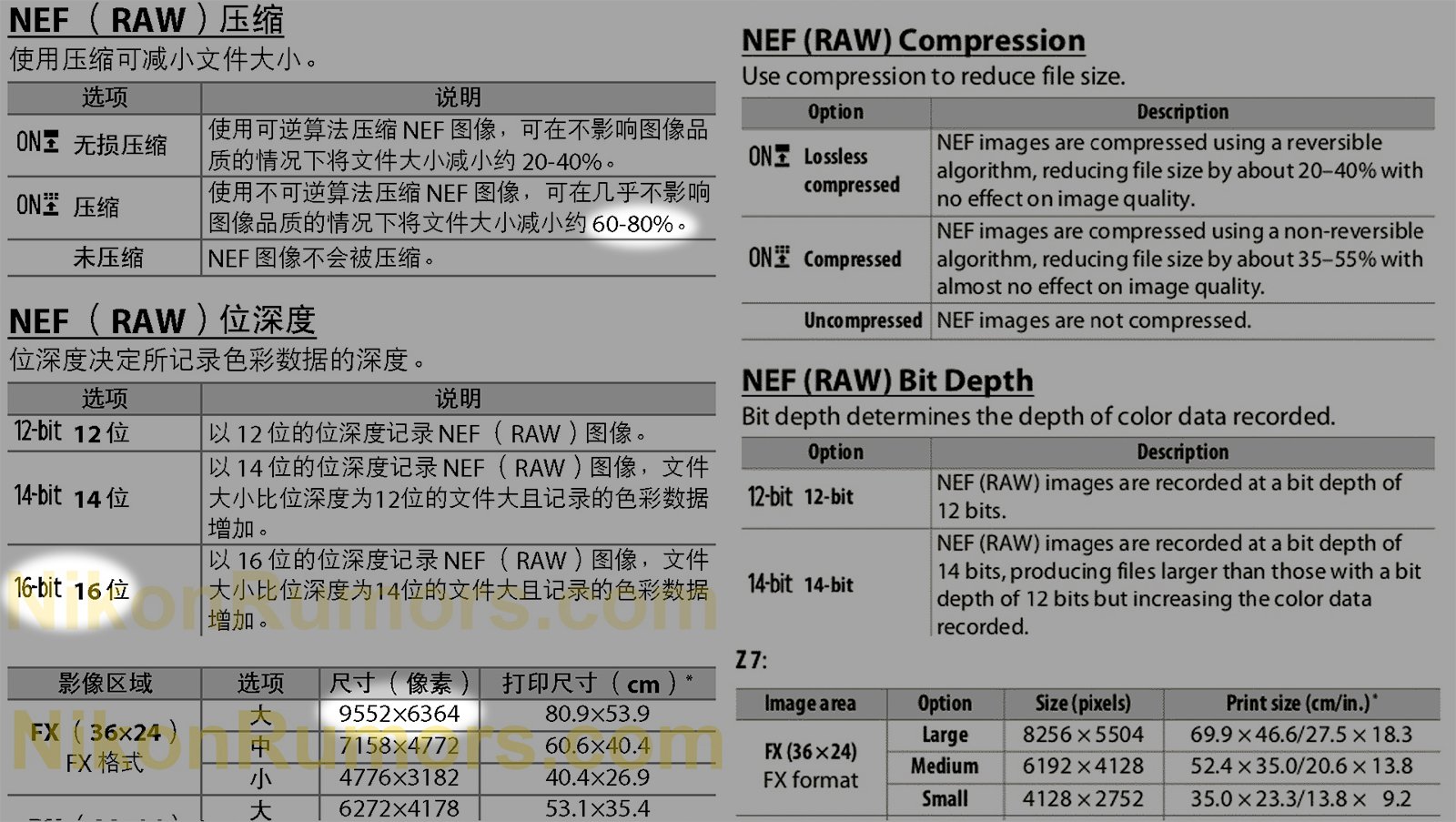
In our article on general settings to change on any camera, we suggested enabling Raw files for greater flexibility when editing your images. But with Nikon cameras, you’re also asked to choose a type of Raw file (NEFs on Nikon cameras), which can get confusing.
On the first two generations of Z-mount camera, you'll have the option to choose 12ller files, but you can restore the image for full editing capability. 12-bit mode makes the files still smaller and lets you capture more images during burst shooting, with very little impact unless you're shooting at low ISOs and really pushing the Raws.
Cameras that with Expeed 7 branded processing offer the newer TicoRaw-based HE* and HE
On cameras newer than the Z9 (those using Expeed 7 generation processing), you instead get the choice of Lossless Compression, High Efficiency* or High Efficiency (HE) compression. You no longer have to decide the bit-depth the camera uses. The Lossless compression is the same as on the older cameras, whereas the two HE options use a more modern, more effective compression system.
If you have one of the older cameras, we'd generally suggest shooting 12-bit Raw with Lossless Compression, if you're given the choice. The only exception would be if you're shooting ISO 64 on a Z7 or Z7 II and really pushing the Raws to make full use of their dynamic range.
We've been impressed with our experiences with HE* compression on the newer cameras.
Engaging Raw shooting
Don't forget to tell your camera to actually shoot in Raw after choosing your Raw settings; it's easy to do.
While both older and newer Nikon cameras have menu options to define what type of Raw file they capture, it's important to recognize that they don't actually make use of this setting until you select Raw or Raw+ from the "Image Quality" setting, further up the Photo Shooting menu.
Sensor shield
The Z9 and Z8, which always use electronic shutter mode, have a carbon "sensor shield" that can be used to keep dust off the sensor, without having to worry so much about damaging delicate, fragile shutter blades.
Photo: DPReview
The Nikon Z8 and Z9 both offer an option to enable a "sensor shield" when the camera is powered off. It helps reduce the amount of dust and debris that can land directly on the sensor during lens changes. We'd suggest setting "Sensor Shield Behavior at Power Off" to "Sensor shield closes. " In the setup menus.
This option is not available in other Nikon cameras because they do not have carbon blades that can be used to prevent dust ingress. Instead, they have mechanical shutter blades which are much easier to damage than the sensor is.
We'd suggest being wary of dust with most Nikon cameras and being careful not to touch the sensor shield if you have a Z8 or Z9.
Shutter angle
If you have a higher-end camera, you'll be able to change the Shutter Mode in the Video ('g') Custom Settings menu.
Shutter angle is a feature specific to videographers, so if you're not shooting video, there's no need to worry about this one. But, especially if you plan to shoot video at different frame rates, expressing the exposure time in terms of shutter angle can be really handy.
This setting only affects video shooting and is currently only available on the ZR, Z6III, Z8 and Z9.
AF-F
One Nikon-specific quirk to be aware of is that the mode that continuously refocuses during video capture is called AF-F (fulltime AF) on Nikon cameras, rather than some variety of continuous autofocus, as is more commonly the case. This is because Nikon also has an AF-C mode that acts like the same mode in stills shooting: only re-focusing when you're pressing a button to tell the camera to do so.
Specifying different settings for video
By default, certain settings such as White Balance and Picture Control will carry over from stills to video mode. However, you can choose different settings by going into the "Video Shooting" menu and changing the setting to something other than "Same as Photo Setting. " This makes it easier to switch back and forth between stills and video shooting without accidentally carrying your settings across.
Customize your camera for your needs
Depending on your camera model, several buttons and button/dial combinations can be separately configured for stills shooting, video and playback modes.
If you want to go beyond these basics, you can configure custom buttons the the "Custom Controls" option(s) the 'f' section of the Custom Settings menu. You can customize buttons for video use in "Custom Controls" in section 'g. '
The i menu can be configured to give you semi-fast access to the settings you regularly change, and can be configured separately for stills and video
It's a similar story if you wish to change which options appear in the i quick menu, these are also configured at the top of section 'f' for photo mode and section 'g' for video mode.
The above options are Nikon-specific items that apply to most users, regardless of their specific niche. However, it's also not an exhaustive list. If you have other settings that you change as soon as you purchase a new (or new to you) Nikon camera, share them in the comments.
. dpreview.com2026-2-10 17:00